


Run your Rust plugins
Use full file and console access to install and configure Oxide/uMod or Carbon plugins. Check that each plugin supports the framework you choose.
Host vanilla or modded Rust, manage your files and schedule wipes through VXPanel. Managed Rust hosting from €29.99/mo excl. VAT.
Your order total, including applicable taxes and fees, is shown before payment.


Plan a PvE community with the Rust PvE server setup guide.
Each physical server is overclocked and liquid-cooled, then tested for 72 hours before we hand it over.
See the hardware that hosts your server and the VxShield protection it includes. Paid plans may use different hardware and resources from trials.
(opens in a new tab)We overclock and liquid-cool the hardware for your paid Rust plan, then load-test it for 72 hours before handover.
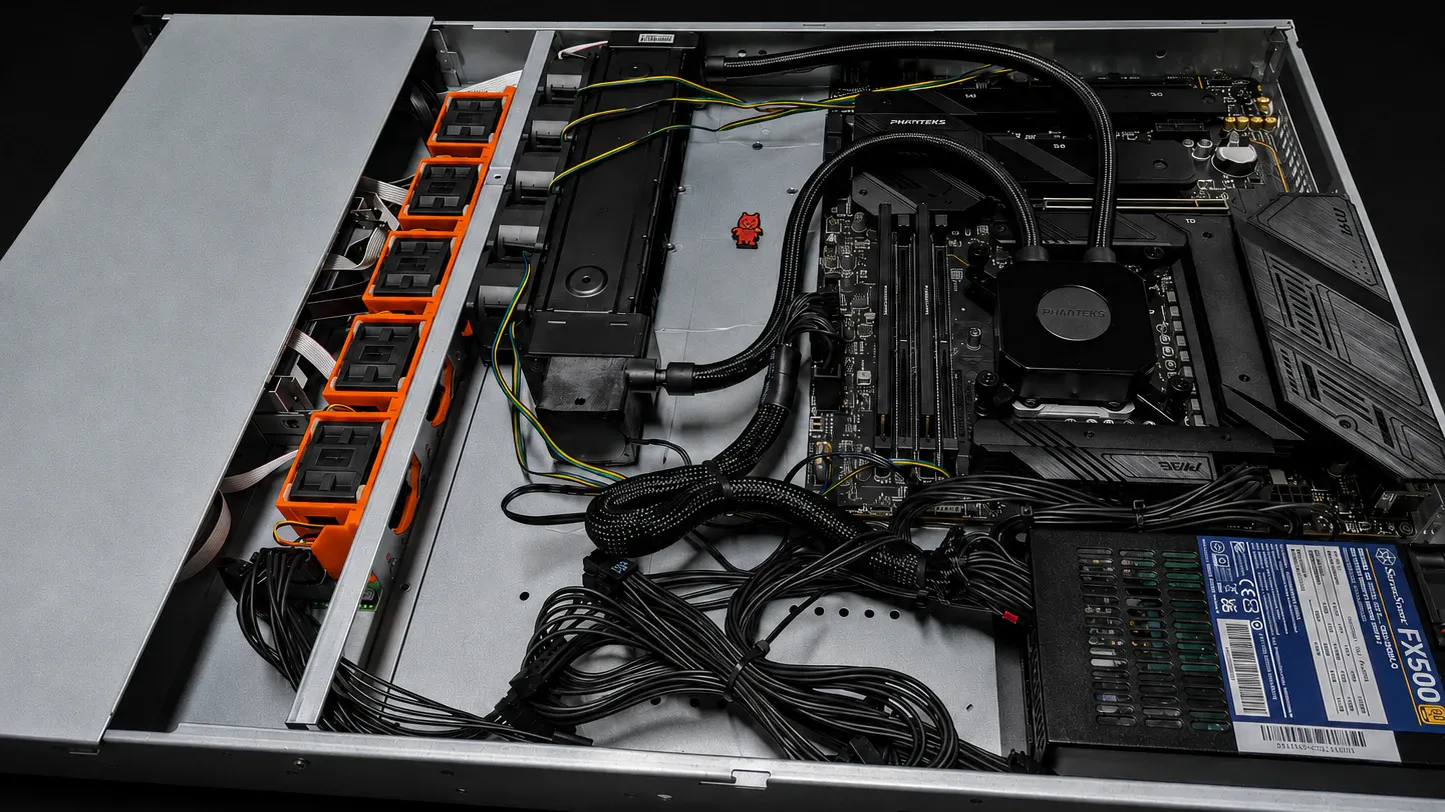
Your VX-BM-I9-14900K-OC build comes with DDR5 memory, NVMe storage and control of your game files. Player slots carry no added charge.
Your order total, including applicable taxes and fees, is shown before payment.
To choose a configuration, review the Rust server requirements for your map, plugins and players, then compare the first-year cost of your hosting quotes.
VxShield passes legitimate player traffic to your Rust server after filtering attacks upstream.
Included on every planNo DDoS add-on fee.
Game-aware filteringTuned for Rust traffic.
Network statusView live status (opens in a new tab)VxShield combines upstream mitigation from Global Secure Layer (GSL) with additional filtering on VYKIX's network.
The Ground Zero report recorded a 2.56 Tbps network peak on .

Manage Oxide/uMod or Carbon with full access to your files and console.
Use full file and console access to install and configure Oxide/uMod or Carbon plugins. Check that each plugin supports the framework you choose.
Keep your team's force wipes, map wipes and restarts on a shared maintenance schedule in VXPanel.
Plan how to reset and recover your server before adding maintenance to the VXPanel schedule.
Eligible paid Rust plans include Galium and RankEval with no extra VYKIX add-on charge. Give admins server-side anti-cheat tools and players a leaderboard to compete on.

Use server-side anti-cheat and moderation across your network, with persistent profiles, behavior scoring and automated actions.
Learn more about Galium Custom Anti-Cheat (opens in a new tab)
Give players public server profiles, wipe history and leaderboards, alongside analytics, Discord integration and EventMap visibility.
Learn more about RankEval Leaderboards (opens in a new tab)These benefits apply to paid plans and are excluded from the trial. Activation of Galium or RankEval and linking Steam are your choice. Only after activation does VYKIX share your SteamID64 with that partner, which may require a separate account.
Publish your rules, wipe schedule and community updates using the included Rust website template and starter static hosting.
Included with an active paid Rust plan. The starter hosting ends with the associated subscription. Free-service and partner terms apply. Request my launch kit on Discord (opens in a new tab)Plan your Rust community's move around the files you need to transfer and your target date. We agree the scope and terms before starting; eligible switchers get free migration and seven days free.
Tell us the provider, plugins, data size and region you are moving from, plus your target date.
Before the move, we agree on the transfer scope, timing and offer terms with you.
We start work after you have reviewed the transfer plan.
Already hosted elsewhere?Share the setup you want to transfer and your preferred date.
If your server is absent from the list, work through the Rust server-browser checks.
Yes. You can host a Rust dedicated server for PC with this managed plan. Rust Console Edition hosting is excluded.
Managed Rust hosting from €29.99/mo excl. VAT. The charge is per server, without an added player-slot fee. Fair-use terms cover slots, DDR5 memory and NVMe storage. Your map size, entity count, plugins and settings determine playable capacity. Your order total, including applicable taxes and fees, is shown before payment.
The Rust trial costs EUR 0 for 48 hours. We require a valid card for fraud verification, but there is no trial charge and no conversion to a paid subscription. Save the files you need before expiry. We suspend the service after 48 hours and delete active data seven calendar days after suspension. The trial can use different hardware from a paid plan. Place a separate paid order if you want to continue hosting.
Yes. Oxide/uMod and Carbon are supported on the paid Rust plan, which gives you full access to game files, configuration and the console. Schedule force wipes, map wipes, restarts and maintenance in VXPanel. VYKIX maintains the host OS while you manage Rust. Confirm plugin compatibility with your Rust version and framework, install required dependencies and take a backup before wiping. Root access requires Game VPS or bare metal.
Send your map size, save age, plugins and expected concurrent player count. For an existing server, capture server FPS, process memory and error logs during a busy session. Use those measurements to select a configuration, then test with your players. Allow for map complexity and plugin behaviour as well as the number of connections.
Eligible paid Rust plans provide Galium Custom Anti-Cheat, RankEval leaderboards and analytics, a starter static web-hosting package and a Rust website template, with no extra VYKIX partner add-on charge. You can leave Galium and RankEval inactive and run the core Rust server without linking Steam. If you choose to link and activate a benefit, VYKIX shares your SteamID64 with that partner. Partner accounts, terms and privacy notices apply. The free 48-hour trial excludes these bonuses.
Paid Rust hosting provides three same-server backup slots. Before a wipe or major change, keep a current recovery copy outside VYKIX as well. The live game and local backups can both be affected by a physical server or storage failure. Verify completed backups and test that you can restore them.