Best Hytale Server Hosting: 5 Tests a Host Must Pass
Choose Hytale hosting that fits your world. Test mod uploads, login and backup recovery, then check resources and DDoS protection.
On this page
VYKIX managed Hytale hosting starts from €19.99/mo excl. VAT, with VxShield DDoS protection and no added player-slot fee. Your order total, including applicable taxes and fees, is shown before payment. See the Hytale plan and what it includes.
A Hytale world can represent weeks of your group’s work. Before you move it, ask the host to walk you through an upload, a backup and a restore. Then check login, mods and a playing session with your group.
With VYKIX’s managed Hytale plan, you manage the game files while we maintain the host operating system. Try a provider’s demo or trial if one is available, and read the current order details before paying.
Test 1: Upload the files your server needs
Bring a copy of your world and a mod you plan to run. Upload them, edit their configuration and download the files again. For a large world, ask about SFTP so you can use a file-transfer client instead of a browser upload.
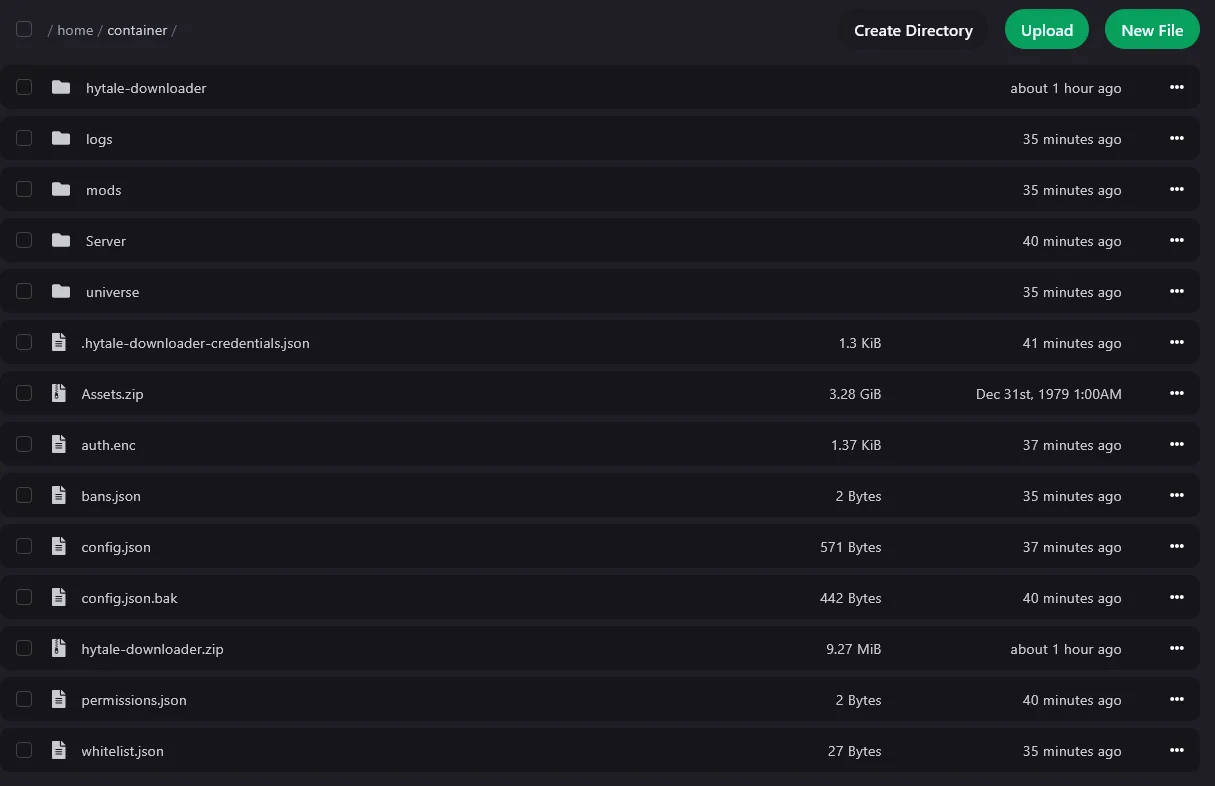
The screenshot in our Hytale setup guide shows the VXPanel file manager with its mods, universe and Server folders. The same guide takes you through web uploads and SFTP.
Put Hytale packages in mods/, using the versions and dependencies their authors recommend for your game build. Read the startup log after installing a package, then join and try the feature. The Hytale Server Manual covers the installation process.
Test 2: Recover a world before relying on backups
Make a named backup, wait for it to finish and download a copy. Check where the host stores it and how you would restore it. Rehearse that restore on a separate instance if you can; restoring over the live world removes progress made after the backup.
VYKIX Hytale hosting includes three backup slots on the same server. They’re useful for undoing a bad edit, but a hardware failure could take out the live world and those backups together. Keep a copy elsewhere too.
Agree who will apply game updates and check the mods afterward. Maintaining the host operating system is a separate job.
Test 3: Check server login and credential storage
Open the console and find the stage that’s waiting. In our downloader setup, you authorize the file download and then authenticate the game server. The publisher also offers a bootstrap installation that passes its credentials to the server, so you may arrive at a server that’s already authenticated.
Start with /auth status. If login is needed, run /auth login device and approve the active request with your Hytale account before the expiry shown in the console.
Check /auth persistence too. Memory loses the credentials when the process stops; Encrypted can keep them across restarts. If login still fails, read the error for revoked credentials or an authentication-service problem. See the publisher authentication guide.
Our VYKIX authentication steps show the commands in the panel. Keep any error you need help with, but remove device codes, tokens and URLs containing codes before sharing a screenshot.
Test 4: Test your workload on named hardware
Confirm the CPU, location and resource allocation you’re buying. VYKIX Hytale hosting uses an overclocked i9-14900K build with DDR5 memory and NVMe storage. The plan’s fair-use limits apply.
Load the world, mods and view distance you intend to use. Have your group explore, build and use the mod features while you watch CPU use, process memory and stalls.
Base your choice on that session. An empty-world test won’t show how the server handles your group at play. Save the workload details alongside your measurements before deciding how many players to invite.
Test 5: Confirm protection scope and responsibility
Hytale hosting includes VxShield DDoS protection. Its 17 Tbps filtering capacity is shared across the protection network; it isn’t a reserved allowance for your server.
Find out who manages the rules for your endpoint and what information support needs if players can’t join. Hytale uses QUIC over UDP, so the assigned game port needs matching OS firewall and upstream protection rules.
The VxShield guide explains which rules our staff manage for game hosting and which VPS or bare-metal customers manage themselves. Check that responsibility before changing ports.
Choose Your Hytale Plan and Plan the Move
Hytale has no free VYKIX trial. Check DayZ and Rust trial availability on their hosting pages. Hytale needs a paid order, and a trial of another game on different hardware won’t tell you how your Hytale world will run.
If you’re moving an existing world, ask us to review it first. We offer best-effort migration and seven extra days on an eligible paid plan. We’ll agree which files, databases and integrations need moving before setting a date. Keep your own backup throughout the move.
Compare Hytale plans, choose a billing term and check the total with taxes and fees at checkout. The server setup guide will take you through the first start.
Game-aware DDoS protection for your server.
Bring your community to VYKIX with VxShield protection included.